
For artists
A place for your music and the people who love it.
Suffering Jukebox was created by music fans as a way to dive deeper into the music we love. If you make that music, we want to help you share it, bring listeners closer to it, and understand how it connects. We hope you find these features as helpful and fun as we do.
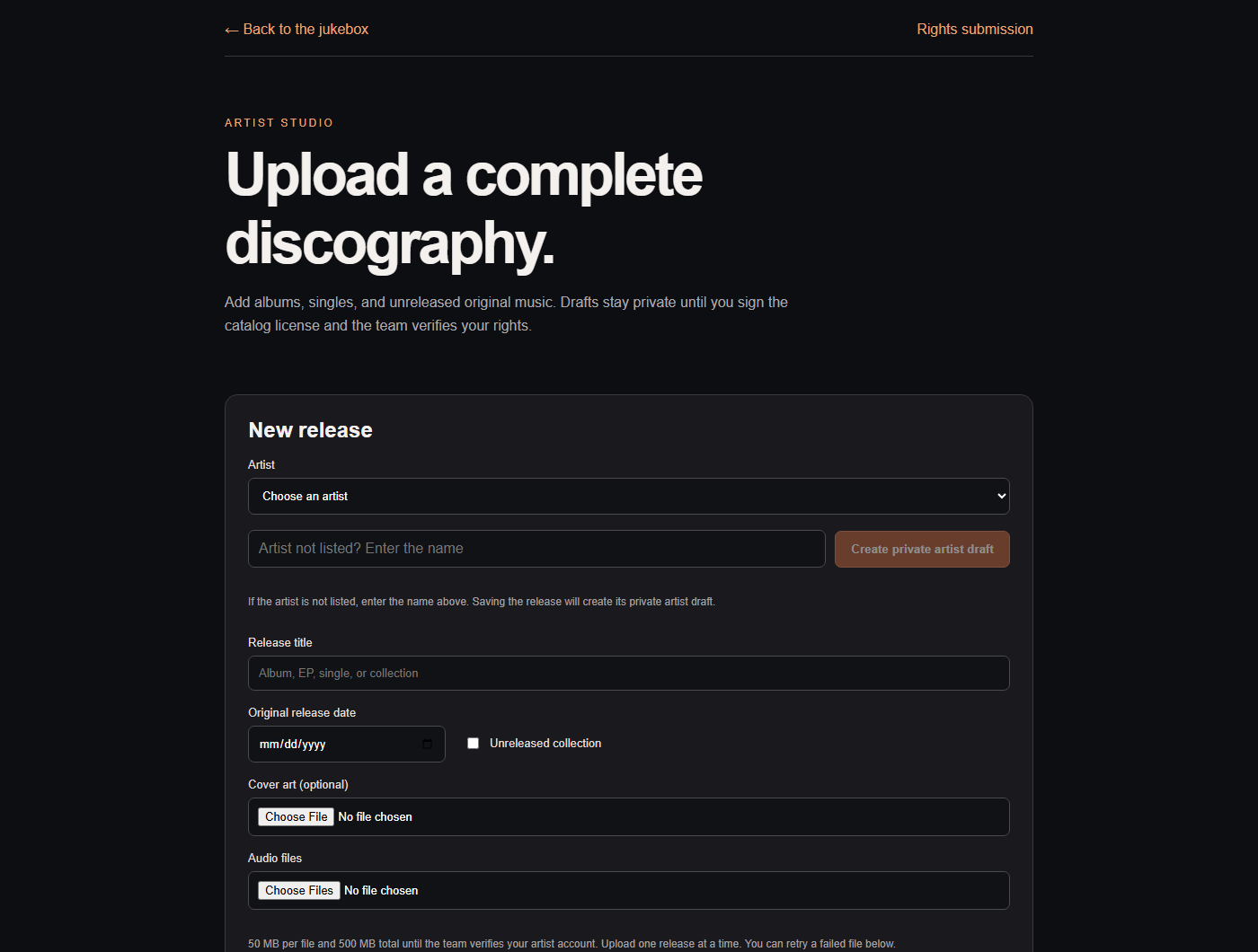
Upload your music, with or without a videoGive albums, singles, and unreleased songs a home.
- Upload your recordings. Add audio files, cover art, song titles, and release dates. Your music does not need to be on YouTube.
- Make a discography fans can explore. Keep releases and lyrics together on your artist page. A recording can have a video, or let the audio and artwork speak for themselves.
- Publish music you control. Sign in, create your release, complete the rights agreement, and submit it for approval. Drafts stay private during review.
Open the release uploader · Read the artist agreement
Bring in music already on YouTubeArtist, playlist, and song imports keep your catalog together.
- Artist import. Find an artist and review the matches for releases and songs.
- Playlist import. Paste a public YouTube playlist link to build a collection.
- Song import. Add a public YouTube video and check its artist, album, and song details.
- Imported videos play through YouTube. Uploading your own approved recording makes that audio available directly to fans.
Put your words beside your musicAdd missing lyrics and sync them line by line.
- Scrolling lyrics. Fans can follow the words in the docked player or full screen.
- Add lyrics for a song or an album. Paste the words or upload a text or LRC file, then check each song assignment.
- Sync the timing. Use Add Lyric Syncing and stamp each line as it begins. Preview, adjust, and save.
- Listeners can heart a moment or react to a lyric, giving you another way to see what stays with them.
Keep your music playing on mobileApproved artist audio supports background playback and Apple CarPlay.
- Approved artist-uploaded recordings are available to listeners for background play automatically. They do not need to upload their own copy.
- Fans can listen with the screen locked or the mobile app in the background, and through Apple CarPlay in the iPhone app.
- YouTube video playback needs the screen on. A YouTube link alone does not enable background or CarPlay playback.
Help fans find your recordingsArtist Uploaded makes direct releases easier to discover.
- Listeners can choose Artist Uploaded in Explore Artists or Explore Songs, or select Artist Uploaded only in Search.
- Your release can reach listeners even if it has no YouTube video or YouTube play count.
- Share artist, album, song, and playlist links so fans can start exploring.
Give your audience playlists to make their ownMake a release playlist, a set list, or a collection of influences.
- Keep playlists private or make them public. Choose whether others can only listen or also contribute songs.
- Fans can add your tracks to their own playlists, blend collections with Shuffle All, or use the ⋯ menu to add them to the queue.
- Create a playlist directly from a public YouTube playlist link.
Bring your different versions togetherMusic videos, live performances, covers, and the original recording.
- Open Alternative Versions from a song’s ⋯ menu to discover other recordings.
- Choose a default video for playback and YouTube stats, and adjust lyric timing for a version with a different intro.
- Watch versions side by side and use the volume mixer to compare them.
Data, data, data!See how listeners respond without waiting for an end-of-year recap.
- Your private artist dashboard. See plays, listeners, returning listeners, listening time, playlist adds, and artist-page visits.
- Choose a date range. See daily activity, compare songs, or choose All Artists to combine the artists your account is authorized to view.
- See what connects. Hearts and lyric reactions show favorite moments. The share of a song heard, where measured, helps you understand how much people listened.
- Refresh for the latest recorded activity. Older plays may have no listening-time measurement, and an early ending does not by itself explain why someone stopped.
- YouTube plays and plays inside Suffering Jukebox are separate measures; direct uploads can have listening activity without a YouTube count.